

table of contents
Managing your local listings is the practice of keeping your business’s core information—its name, address, and phone number (NAP)—perfectly accurate and consistent across every online directory and platform. It’s a fundamental process for helping local customers find you and for building trust with search engines like Google.
Why Accurate Listings Are a Growth Engine, Not a Chore
Most business owners see managing local listings as just another chore on an endless to-do list. But what if it’s actually one of your most powerful, untapped growth levers? This isn’t just about tedious upkeep; it’s a core strategy for pulling in ready-to-buy local customers.
This goes far beyond simply being found online. It’s about being chosen. When a potential customer searches for a service you provide, they see multiple options. Accurate and detailed listings send immediate signals of professionalism and reliability, making your business the obvious choice.
The Real Cost of Inaccurate Information
A single wrong phone number or an old address can hurt your revenue directly and painfully. It creates friction right when a customer is trying to connect, often sending them straight to your competitor.
Think about these real-world scenarios:
- A dental practice with an old phone number listed on Yelp. A new resident needing an emergency cleaning finds the listing, calls the wrong number, gets frustrated, and immediately books with the next dentist on the list.
- A home service company with an incorrect address on Apple Maps. A technician is dispatched for an urgent repair, but the GPS sends them across town, causing delays, a terrible customer experience, and a potentially canceled job.
- A restaurant with outdated holiday hours on its Google Business Profile. A family shows up for a special dinner only to find the doors locked. They leave a one-star review out of pure frustration.
In each case, the business lost more than just one transaction. It lost a potential long-term customer and took a hit to its reputation, all because of a simple data error. This is the hidden cost of neglecting local listings. Our guide on how to improve local SEO details how all these elements work together.
From Tedious Task to Strategic Advantage
Viewing local listings as a growth engine requires a shift in mindset. Instead of a defensive task to fix errors, it becomes a proactive strategy to dominate your local market. For a deeper dive into making your locations highly visible, explore this guide on boosting growth with strategic local presence management.
The industry’s rapid expansion proves this point. The local listing management software sector was valued at USD 11.81 billion in 2026 and is projected to hit USD 18.3 billion by 2032, with a strong compound annual growth rate (CAGR) of 7.3%.
This growth reflects a critical move away from manual, error-prone directory updates. For multi-location businesses, the impact is even more pronounced. One regional restaurant group with 12 outlets reported a 34% increase in profile views and 28% more direction requests after rolling out location-specific strategies in 2024.
How to Audit and Claim Your Digital Footprint
Before you can start optimizing, you need to know exactly where you stand. An effective local listings strategy always begins with a thorough audit to map out every single place your business shows up online—both the good and the bad. This process is all about turning digital chaos into a clean, controlled asset.
Your first move is a series of simple manual searches. You don’t need fancy tools for this initial pass, and it’s the fastest way to see what your customers (and the search engines) are seeing right now. We’ll start with the obvious queries and then dig a little deeper.
Uncovering Your Listings with Manual Searches
You have to think like a customer. Head over to Google, Bing, and even DuckDuckGo, and start searching for your business using different combinations. This will quickly bring the most important listings to the surface, along with any problem children that might be lurking.
Here are a few search variations to get you started:
- Your Business Name + City: e.g., “Sunrise Cafe + St. Petersburg”
- Your Business Name + Phone Number: Make sure to try both current and any old phone numbers you’ve used.
- Your Business Name + Old Address: This is absolutely crucial if you’ve ever moved locations.
- Street Address + Your Business Name: Sometimes, flipping the query around uncovers different results.
As you find these listings, document everything in a simple spreadsheet. You’ll want to note the directory’s name, the direct URL to the listing, and whether the Name, Address, and Phone number (NAP) are correct. This audit spreadsheet becomes the baseline for your entire project. In the same way, a deep dive into your website can reveal other issues, a process we cover in our guide on how to do a website audit.
Don’t underestimate how much accuracy matters here. This flowchart shows exactly how a single piece of wrong information creates a straight line to lost revenue.
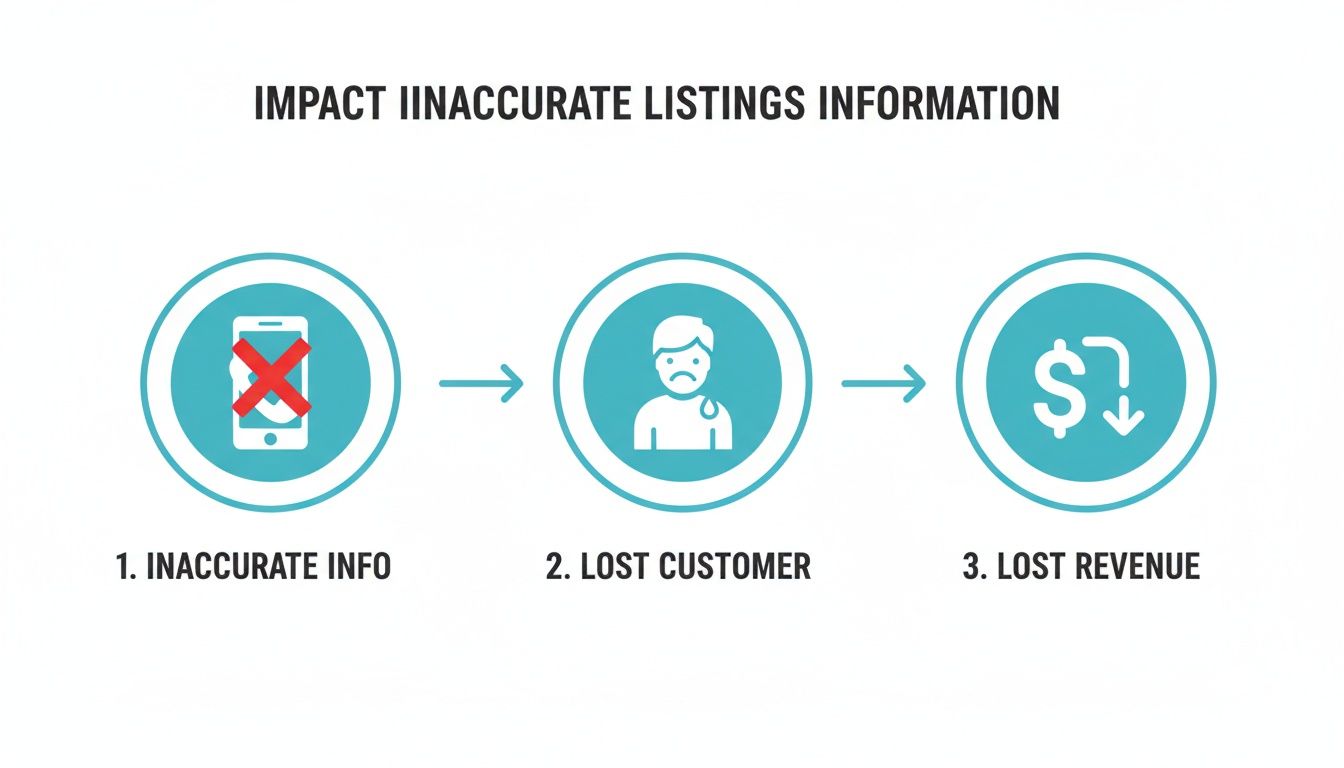
This visual drives home a critical business reality: an incorrect listing doesn’t just confuse a potential customer; it actively sends them to your competitors, costing you sales in real-time.
Claiming Your Most Critical Profiles
Once you have your audit spreadsheet filled out, it’s time to take control. The key is to prioritize claiming and verifying the most impactful profiles first. These are the heavy hitters where the vast majority of local customers are going to find you.
Your primary targets should be:
- Google Business Profile: This is, without a doubt, the single most important listing for local search. Claiming it gives you direct control over how you appear in Google Search and on Google Maps.
- Apple Maps: With millions of iPhone users relying on Apple’s native mapping app for directions, this one is non-negotiable.
- Bing Places for Business: Bing still holds a significant share of the search market, and a verified profile here is a must-have.
- Yelp: A major force in the reviews space, especially for restaurants, home services, and other local businesses.
The power of having accurate, complete profiles on these platforms is immense. Data shows that complete and verified listings make customers 2.7 times more likely to consider a business trustworthy. On top of that, 88% of local searches made on a smartphone result in a call or visit within 24 hours. That’s a direct link between a good listing and a new customer walking through your door. You can discover more about these local SEO statistics and how they translate to business growth.
Navigating Common Roadblocks
During the claiming process, you’ll probably hit a few common snags. Don’t worry—they are almost always fixable with a bit of persistence.
The most frequent issue we see is discovering a profile is “already claimed.” This often happens when a former employee, a previous marketing agency, or even the business owner using an old, forgotten email address set it up years ago.
If you run into this, your first move is to use the platform’s built-in process to request ownership. On a Google Business Profile, for example, you can click the “Own this business?” link and follow the prompts. This sends a request to the current owner’s email.
If you don’t get a response after a few days, you can usually escalate the issue to the platform’s support team. You’ll likely need to provide proof of business ownership, like a recent utility bill or a business registration document, to get access. By systematically auditing, claiming, and cleaning up these issues, you build a rock-solid foundation of accurate data that will fuel your local marketing for years to come.
Optimizing Your Listings to Attract More Customers
Claiming your business profiles is just the first step. The real work begins when you start turning those bare-bones listings into customer magnets that drive real-world traffic. Just filling out the name and address isn’t enough—you have to use every feature available to make your business the obvious choice for anyone searching locally.

Think of your online listing as your digital storefront. An incomplete profile is like a shop with dusty windows and empty shelves; it doesn’t build confidence. A fully optimized profile, on the other hand, is rich with details and visuals that invite customers inside.
Once you’ve secured your profiles, it’s time to enhance your visibility. The goal is to answer a potential customer’s questions before they even think to ask. Strategies for doing this, like optimizing your tech repair shop’s digital presence for local search, are key to drawing in business and standing out from the competition.
Go Beyond the Basics With Categories and Attributes
Your primary business category is a good start, but the real power comes from drilling down into hyper-specific secondary categories. A “Plumber” is fine, but adding “Emergency Plumber,” “Water Heater Installation,” and “Drain Cleaning Service” helps you show up for customers with specific, urgent needs. These details match you to more precise search queries.
Beyond categories, you have attributes. These are essentially tags that highlight key features of your business at a glance. They’re what help you appear when a customer filters their search results.
You can add dozens of attributes, but some common ones include:
- Accessibility: “Wheelchair accessible entrance,” “Wheelchair accessible restroom.”
- Amenities: “Wi-Fi,” “Restroom,” “Good for kids.”
- Service Options: “Online appointments,” “Onsite services,” “Curbside pickup.”
- Crowd: “Family-friendly,” “LGBTQ+ friendly.”
A boutique hotel could use attributes like “Pool” and “Free Wi-Fi” to attract travelers, while a coffee shop might add “Outdoor seating” to appeal to remote workers. These small details can make all the difference.
Turn Your Listing Into an Information Hub
A complete listing doesn’t just state what you do; it shows it. The best profiles are living resources that actively engage potential customers. This means using photos, posts, and the Q&A section to their full potential.
High-quality photos are one of the most powerful tools you have. In fact, businesses with photos on their profiles get 37% more engagement than those without. Don’t just upload a few shots of your storefront—showcase your products, your team in action, and the inside of your space.
Think of it this way: a local bakery that posts daily photos of its fresh bread and pastries is far more appealing than one with a single, outdated exterior shot. The images tell a story and create an immediate desire for the product.
Likewise, a boutique hotel can drive bookings by featuring professional photos of its rooms, amenities like the pool and spa, and the surrounding scenery. These visuals help guests picture themselves there, moving them closer to making a reservation.
Actively Engage With Google Posts and Q&A
Google Posts are like mini-ads or social media updates that appear right on your Google Business Profile. They’re perfect for announcing specials, promoting events, or highlighting new products. For example, a restaurant could create a post for a “Taco Tuesday” special, complete with a mouth-watering photo and a call to action to book a table. These posts expire, which keeps your profile looking fresh and active.
The Questions & Answers (Q&A) section is another feature that’s often overlooked. This is your chance to get ahead of common customer questions. And yes, you absolutely can—and should—ask and answer your own questions.
Seed your Q&A with frequent inquiries like:
- “Do you offer free estimates?”
- “Is parking available nearby?”
- “What are your holiday hours?”
By providing the answers yourself, you control the narrative and give customers instant, accurate information. It saves them a phone call and shows you’re on top of your game. For a more detailed walkthrough, you can learn more about these tactics in our guide on how to optimize your Google Business Profile.
Ultimately, optimizing your listings is about building a comprehensive, trustworthy, and engaging digital presence. It’s an ongoing process, but one that turns passive searchers into paying customers by making your business the most helpful choice around.
Building a Sustainable Workflow for Your Listings
Getting your listings audited, claimed, and optimized is a huge first step. But the real work begins after that initial push. Great listings aren’t a ‘set it and forget it’ task; they require ongoing maintenance to protect your hard-won accuracy.
This is where you build a sustainable workflow. The core challenge is keeping every detail—from your hours to your service list—pristine across dozens, or even hundreds, of online directories. A simple change, like new holiday hours, can quickly lead to chaos if you don’t have a system. Without one, inconsistencies will creep back in and undo all your progress.
Manual Updates vs. Management Tools
Your first big decision is whether to handle updates manually or invest in a dedicated management tool. There’s no single right answer here. The best approach depends entirely on your business’s scale and resources.
A solo entrepreneur running a single coffee shop or a small law office can often get by with manual updates. You can realistically log in and manage your top 10-15 most important profiles (think Google, Apple Maps, Bing, Yelp) whenever something changes. It’s budget-friendly, but it demands discipline.
As soon as a business starts to grow, however, this manual process becomes a nightmare.
Imagine a small retail chain with just five locations. To update the business hours on 20 directories for each store, you’d have to make 100 individual edits. That’s not just tedious; it’s a huge risk for human error. One typo could send a customer to a closed store, earning you a negative review and lost revenue.
This is exactly where local listings management software becomes a lifesaver. These platforms use a single dashboard to push your information out to a vast network of directories all at once. What would take hours of manual work can be done in minutes, with far greater accuracy.
The Tipping Point for Investing in Software
So when do you pull the trigger on software? The tipping point usually arrives when you open a second or third location. At that stage, the complexity of managing multiple sets of NAP data (Name, Address, Phone) across a sea of platforms is just too much to handle by hand.
The market for these tools is booming because the value is so obvious. Valued at $11.13 billion in 2025, the global local listing software market is projected to grow at a 7.19% CAGR through 2033. This growth is fueled by businesses chasing efficiency. For example, one 12-location restaurant chain saw a 34% surge in Google Business Profile views and a 28% increase in direction requests within six months of implementing better multi-location management. You can find more insights on this local search industry survey to see how the landscape is changing.
If you’re looking for ways to streamline more of your marketing beyond just listings, you might find our guide on marketing automation for small business helpful.
Finding and Merging Harmful Duplicate Listings
One of the most damaging problems you can run into is duplicate listings. These rogue profiles confuse both customers and search engines, splitting your reviews, watering down your SEO authority, and creating a mess.
They usually pop up because of:
- Old business addresses or phone numbers.
- Slight variations in your business name (e.g., “Main St. Cafe” vs. “Main Street Cafe”).
- Automated errors from data aggregators.
Your workflow must include a regular process for hunting down and dealing with these duplicates. Start by running the same audit searches you did initially, but this time, specifically look for variations of your business info.
Once you spot a duplicate, the goal is to claim it and then merge or delete it.
- Claim the Duplicate Profile: Go through the platform’s process to gain control of the rogue listing. This might feel familiar, as you may need to verify ownership just like you did for your primary profile.
- Transfer Unique Content: Before you merge anything, check the duplicate for unique reviews or photos you don’t want to lose. If you find some, reach out to the platform’s support team and ask them to move this content to your main profile.
- Request the Merge or Deletion: With both profiles under your control, contact the directory’s support team again. Ask them to merge the duplicate into your primary, “canonical” listing. This consolidates all your SEO signals and ensures any traffic goes to the right place.
By building a regular cadence for these maintenance tasks—whether you do them by hand or with software—you create a protective shield around your digital presence. This workflow saves you from future headaches and keeps your brand a trusted, reliable choice for local customers.
How to Measure the ROI of Your Efforts
All this work on your local listings is great, but how do you prove it’s actually making you money? Managing your profiles takes time and effort, so it’s critical to show that it’s delivering real value. This means looking past vanity metrics like profile views and zeroing in on the Key Performance Indicators (KPIs) that directly translate to business growth.

The goal is to draw a straight line from your optimization activities—like uploading new project photos or publishing a Google Post—to a real-world increase in leads. This is how you demonstrate a clear, undeniable Return on Investment (ROI) to stakeholders or even just to yourself.
Reading Between the Lines of Your GBP Insights
Your Google Business Profile (GBP) is a treasure trove of performance data, if you know where to look. The “Performance” tab has everything you need to see how customers are finding you and what they do next. The trick is to focus on what truly matters.
Forget total impressions for a second and look at the search terms people are using. This is where you find the why behind the search. Are they looking for your business by name, or did they stumble upon you while searching for a service you provide?
This insight is broken down into two crucial search types:
- Direct Searches: These folks searched for you by name (e.g., “Sunrise Cafe”). They’re already familiar with your brand. While it’s good to see, it doesn’t show you’re attracting new business.
- Discovery Searches: This is the metric that gets my attention. These users found you by searching for a category, product, or service (e.g., “coffee shop near me” or “emergency plumber”). A rising trend in Discovery searches is hard proof that your optimizations are capturing fresh, local customers who didn’t know you existed before.
Zero In on High-Intent Customer Actions
While search types show you how people find you, customer actions reveal what they do once they’ve found you. These actions are your most direct indicators of ROI because they represent high-intent leads moving one step closer to a sale.
A study found that conversion rates can plummet by up to 16% when business information like hours is wrong. This shows the direct financial cost of inaccuracy. Your GBP performance report is where you see the financial upside of getting it right.
Every month, you should be tracking these three core actions:
- Website Clicks: This person is interested enough to leave Google’s world and enter yours. Once they’re on your site, you have a much better chance of converting them.
- Direction Requests: For any brick-and-mortar business, this is pure gold. A request for directions is a powerful signal of foot traffic—it means someone is making a plan to physically visit you.
- Phone Calls: A call is a direct, hot lead. Whether it’s to book an appointment, ask about pricing, or place an order, each call from your profile is a tangible sales opportunity.
Building a Simple Monthly ROI Report
You don’t need a complicated analytics dashboard to see what’s working. A simple monthly report is often all it takes to connect your actions to real results and build a case for continued investment.
Here’s a straightforward framework I use with clients:
- Optimizations This Month: Make a quick list of what you did. For example, “Added 10 new project photos,” “Published 4 Google Posts about our spring sale,” or “Answered 5 new customer questions in the Q&A.”
- Key Performance Metrics (Last 30 Days):
- Discovery Searches: The total number and the month-over-month percentage change.
- Website Clicks: The total count and its trend compared to last month.
- Direction Requests: Document the total and the percentage change.
- Phone Calls: Note the total number of calls made directly from your profile.
This simple report tells a powerful story. For instance, you can now show that after you started publishing weekly Google Posts, your website clicks and phone calls jumped by 15%. This directly links your local SEO work to lead generation, making it easy to justify the time and resources. If you want to dive even deeper into the numbers, you can learn more about how to calculate marketing ROI in our comprehensive guide.
Your Local Listings Management Questions Answered
Jumping into local listings management always brings up a few common questions. We hear them all the time. This section gives you straight, no-nonsense answers to help you navigate the tricky parts and keep moving forward.
How Long Does It Take to See Results?
This is the big one. While some quick fixes, like correcting a phone number on your Google Business Profile, can show up almost instantly, the real SEO benefits take a bit more patience. Think of it as building trust with search engines—they need time to see your consistency and reward it.
You can usually expect to see some initial bumps in visibility and engagement within the first one to three months. During this window, your corrected and optimized information starts getting indexed across the major directories.
The more significant lift—the one that drives high-intent actions like phone calls and direction requests—often kicks in between three and six months. By this point, your consistent data has built enough authority to make a real impact. This is a long-term play where the results compound over time, not a one-and-done fix.
Local SEO vs. Local Listings Management
It’s easy to mix these two up, but they cover different ground. Understanding the difference helps you focus your efforts where they count.
Think of local listings management as the concrete foundation of your online presence. It’s the highly specific job of making sure your core business information—Name, Address, and Phone number (NAP)—is accurate, consistent, and fully filled out everywhere it appears online. This means Google, Apple Maps, Bing, Yelp, and dozens of other industry-specific sites.
Local SEO, on the other hand, is the entire house you build on that foundation. It’s the broad umbrella of everything you do to get more visible in local search. Listings management is a critical piece of it, but Local SEO also includes:
- Optimizing your website with local keywords.
- Generating and responding to customer reviews.
- Building backlinks from other local businesses or community sites.
- Using Google Business Profile features like Posts and Q&A.
In short, you can’t have a strong Local SEO strategy without solid local listings management. One is a non-negotiable part of the other.
Should I Use a Tool or Do It Manually?
This is one of the most practical questions we get, and the right answer really comes down to your scale and resources.
If you run a single-location business on a tight budget, managing your listings manually is completely doable. You can claim and maintain your top 10-15 most critical profiles (like Google, Apple, Bing, Yelp, and Facebook) yourself. Just know that this approach demands a consistent time commitment to watch for inaccuracies and make updates whenever things change.
For any business with multiple locations—or even a single one that wants to lock down consistency across 50+ directories—a dedicated local listings management tool is a game-changer. The ROI is clear: these platforms save hundreds of hours by pushing your correct data across a huge network from one dashboard. They also automatically find and suppress duplicates and monitor for unwanted changes, giving you a level of protection that’s nearly impossible to achieve by hand.
At Netco Design LLC, we specialize in transforming your local online presence from a source of frustration into a powerful engine for growth. Our local SEO and listings management services ensure your business is not just found, but chosen. Ready to attract more pre-qualified customers? Learn how we can elevate your digital presence and drive sustainable results.

