

table of contents
An effective SEO audit report format isn’t just a document; it’s a structured roadmap that turns dense, complicated data into a clear plan for improving a website’s search engine performance. It’s all about telling a story.
A good report usually kicks off with a high-level executive summary for the decision-makers. It then dives into the nitty-gritty findings across technical, on-page, and off-page SEO, and wraps up with a prioritized action plan. This structure makes sure everyone, from stakeholders to the dev team, knows exactly what the problems are and what to do next.
Structuring Your SEO Audit Report for Maximum Impact
A well-organized report is the difference between an audit that collects digital dust and one that actually sparks meaningful change. Its main job is to paint a clear picture of a site’s current SEO health, pinpoint opportunities, and lay out a logical path forward. Without a solid framework, even the best data can feel overwhelming and impossible to act on.
To make sure your audit gets the attention it deserves, you have to be meticulous about its structure. The same general principles that help you build a digital marketing report that gets results apply here, too. The goal is to walk the reader—whether it’s the CEO or a developer—from the “what” (the problem) to the “so what” (why it matters) and finally to the “now what” (the solution).
Core Components of an Effective Report
Your format needs to be logical and dead simple to navigate. A proven structure breaks down into three main parts: the high-level summary, the detailed analysis, and the actionable recommendations. This hierarchy lets different audiences grab the info they need without getting bogged down in technical jargon.
This flowchart really nails the fundamental structure of a great SEO report, showing how it flows from a broad summary down to specific details and a clear action plan.
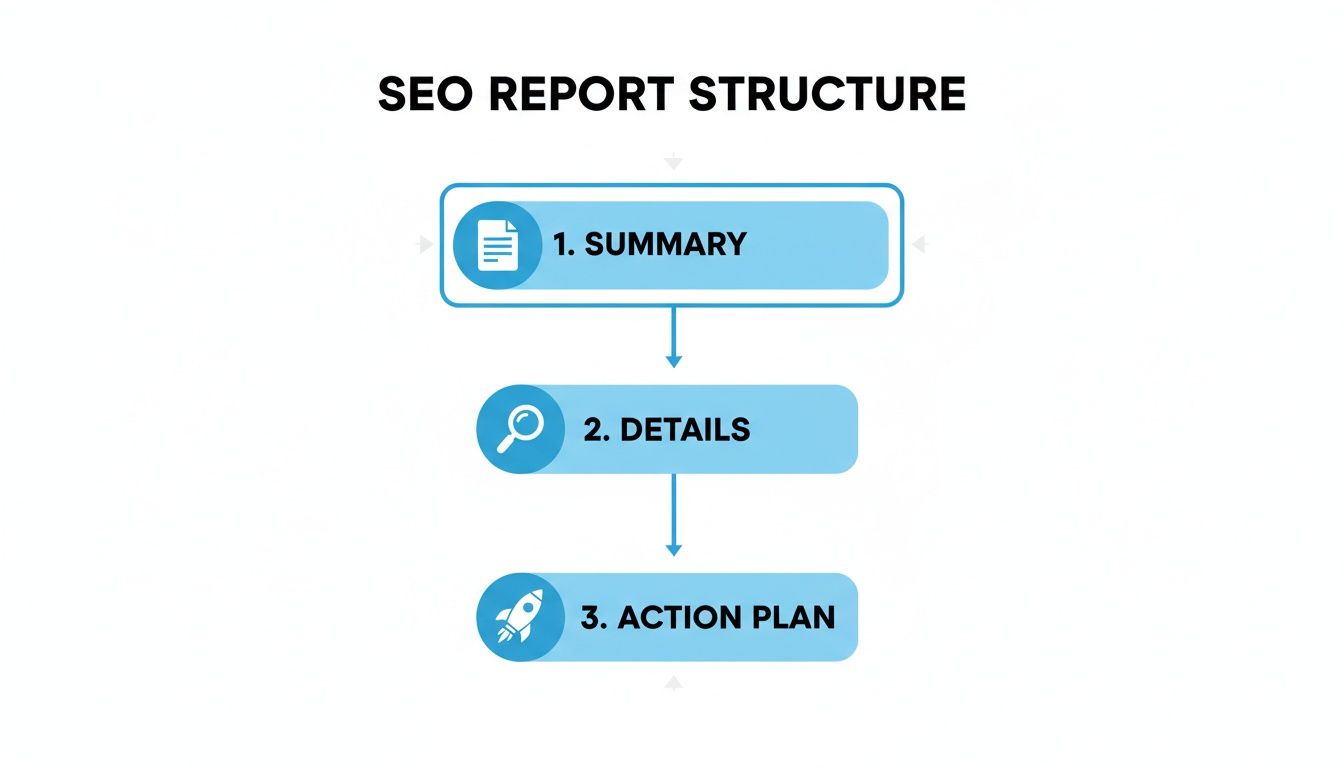
This visual is a great reminder that every single detailed finding should support the big-picture summary and lead directly to a concrete action item. When you organize your audit this way, you create a compelling narrative that connects problems to solutions, making it easy to justify the investment in SEO. If you want to dig deeper into what an SEO report includes, you can learn more here: https://netcodesign.com/what-is-an-seo-report/
Crafting an Executive Summary That Drives Action
The executive summary is, without a doubt, the most important part of your SEO audit report. This is the high-level overview built for decision-makers—the people who sign the checks but don’t have time to wade through every technical detail. Your summary has to be concise, clear, and compelling enough to make them understand the stakes and greenlight your recommendations.
Think of it as a movie trailer. It needs to capture the story’s essence, highlight the most critical plot points, and convince the audience to stick around for the whole film. A weak summary means your entire report might get ignored, no matter how brilliant the analysis inside is.
Distilling Key Findings for C-Suite Audiences
The people reading your summary are busy. They need to grasp the website’s current SEO health, the biggest roadblocks, and the potential business impact without getting tangled up in technical jargon. Ditch the vague language and focus on outcomes.
Instead of saying, “The website has some technical issues,” tie it directly to a business metric. For instance: “Critical technical errors are preventing 40% of our key service pages from being indexed by Google, leading to an estimated loss of organic leads.”
That single sentence translates a technical problem into a tangible business consequence. Here are the key elements to hit:
- Current SEO Health: Give a quick snapshot of where the site stands now. Mention a core metric like current organic traffic or overall keyword visibility.
- Top 3-5 Critical Issues: Pinpoint the most significant problems actively hurting performance. These are your “quick win” opportunities or the major roadblocks holding everything back.
- High-Level Strategy: Briefly outline your proposed solution in broad strokes. Focus on strategic goals like “recapturing lost traffic” or “improving the mobile experience to boost conversions.”
“A well-written audit report can be a catalyst for positive change. A poorly written one can result in confusion, inaction—or even damaged relationships.”
This really drives home the point that how you communicate your findings is just as important as the findings themselves. The executive summary sets the tone for collaboration and positions you as a strategic partner, not just another analyst. It’s your single best chance to get buy-in for the whole project.
Defining the Audit Scope and Success Metrics
Before you even think about crawling a site or digging into analytics, every solid SEO audit has to start with one thing: defining the scope. This is where you draw the lines, manage expectations, and make sure everyone involved knows exactly what’s on the table—and what isn’t.
Skipping this step is a recipe for disaster. Audits can quickly spiral out of control, becoming a massive time-sink that fails to deliver the focused, actionable insights your client is paying for. Think of it as creating a map before you start the journey.
Establishing Clear Audit Boundaries
Your scope is your game plan. It needs to explicitly state which areas you’ll be investigating. This isn’t just about protecting yourself from scope creep; it’s about making sure the final report directly answers the client’s most pressing questions. Getting this right upfront is critical for a smooth project.
A well-defined scope usually covers a few key pillars:
- Technical SEO: This is the nuts and bolts. We’re talking crawlability, indexing issues, site speed, mobile-friendliness, and structured data implementation.
- On-Page SEO: Here, you’ll be analyzing the content itself—things like title tags, meta descriptions, header usage, internal linking strategies, and how well pages are optimized for their target keywords.
- Off-Page SEO: This part is all about authority. You’ll dive into the website’s backlink profile, the quality of its referring domains, and see where it stands against the competition.
- Local SEO (if applicable): For any business with a physical footprint, this is non-negotiable. It includes Google Business Profile optimization, local citation consistency, and performance for geo-targeted keywords.
Just as important is stating what’s out of scope. For instance, you might clarify that the audit won’t cover PPC campaign performance or social media management. This simple clarification prevents a world of headaches and keeps the project laser-focused.
Setting a Performance Baseline with KPIs
Once the boundaries are set, your next move is to establish a performance baseline. You need a clear “before” picture to measure against later. This snapshot is built on Key Performance Indicators (KPIs) and is the only way to prove your recommendations actually work. To do this right, you have to understand core concepts like search visibility and how it reflects a site’s overall health in the SERPs.
Documenting baseline metrics is non-negotiable. It’s what turns your audit from a simple list of problems into a powerful tool for demonstrating measurable improvement and proving ROI.
Here are the essential baseline KPIs you absolutely must document:
- Organic Traffic: Get the total number of sessions from organic search. I like to pull this for the last 3, 6, or 12 months to spot any trends.
- Keyword Rankings: Track the current positions for a core group of target keywords. Make sure to include both branded and non-branded terms.
- Conversion Rate: What percentage of organic visitors are completing a key action, like filling out a form or buying a product? You need this number.
- Click-Through Rate (CTR): Pull data straight from Google Search Console. Look at the CTR for your most important pages and queries.
Formatting Your Technical SEO Analysis
Technical SEO is the absolute bedrock of your entire search strategy. Let’s be honest—if search engines can’t efficiently crawl, understand, and index your website, even the most brilliant content and backlink strategy will fall flat. Your seo audit report format has to present these foundational findings with total clarity, giving developers a clear roadmap to follow.
This is the part of the report where we translate complex, often messy, technical data into concrete, actionable steps. It needs to be structured logically, grouping related issues together so they’re easy to digest. You’ll be covering everything from site architecture and crawlability to performance metrics and schema markup.

The real goal here is to create a developer-friendly breakdown that leaves zero room for ambiguity. Every single finding should include a clear description of the problem, exactly where it’s located, and a specific recommendation on how to fix it. This approach transforms the report from just a list of problems into a practical project guide.
Breaking Down Crawlability and Indexability
At its core, technical SEO is all about making sure search engine bots can access and index your content. This is the first and most critical checkpoint in any analysis. If Googlebot is hitting roadblocks, your ranking potential is immediately capped. It’s as simple as that.
Your report should systematically evaluate the key files and elements that control search engine access. I always organize my findings into distinct sub-sections to make the information easy to find and act upon.
A solid analysis in this area must include:
- Robots.txt Review: Are there any
Disallowdirectives that are unintentionally blocking important pages, scripts, or CSS files from being crawled? You’d be surprised how often this happens. - XML Sitemap Analysis: Check that the sitemap is correctly formatted, submitted to Google Search Console, and totally free of junk like 404 pages or non-canonical URLs.
- Crawl Budget Assessment: Dive into server logs or use crawl data to see if excessive redirect chains, duplicate URLs, or low-value pages are wasting Google’s precious crawl budget.
A clean and efficient crawl path is non-negotiable. Every unnecessary redirect or broken link is a small obstacle that, when multiplied across a large site, can significantly hinder a search engine’s ability to discover your best content.
For a deeper dive, our complete guide on how to perform a website technical audit provides more detailed checklists and tools to ensure you don’t miss a thing.
Reporting on Site Speed and Core Web Vitals
Site speed isn’t just a suggestion anymore; it’s a critical ranking factor and the absolute cornerstone of a good user experience. Slow pages frustrate users, kill conversion rates, and tell Google your site isn’t up to snuff. Your report has to communicate the site’s performance health using clear, standardized metrics.
I find it’s best to present this data in a scorecard format, showing the current metrics right alongside the recommended targets. This makes it painfully obvious for stakeholders to see the performance gap. Core Web Vitals are non-negotiable—Largest Contentful Paint (LCP) needs to be under 2.5 seconds, Interaction to Next Paint (INP) below 200ms, Cumulative Layout Shift (CLS) at 0.1 or less, and First Contentful Paint (FCP) within 1.8 seconds.
When you lay out your findings, break them down into actionable categories that a developer can immediately work on:
- Server Response Time: Report on Time to First Byte (TTFB) and call out any server-side bottlenecks.
- Image Optimization: List every uncompressed image or those not being served in next-gen formats like WebP. Be specific.
- Code Minification: Pinpoint any bloated CSS or JavaScript files that can be minified to slash file sizes.
- Render-Blocking Resources: Identify the exact scripts or styles that are slowing down the initial page load and recommend deferring them.
Presenting On-Page and Content Audit Findings
Once you’ve sorted out the technical health of a site, it’s time to dig into the on-page and content findings. This is where your audit shifts from the “how” of the website to the “what”—the stuff that’s meant to directly connect with both search engines and actual human beings. This part of the report is absolutely critical for content teams and copywriters who need clear, actionable feedback they can run with.
You have to go deeper than just a simple checklist. It’s not enough to say a title tag is too long; you need to explain why that hurts click-through rates and show them exactly how to fix it. This section is all about bridging the gap between raw crawler data and a real-world content strategy, making it one of the most hands-on parts of the entire audit.
Evaluating Core On-Page Elements
The fundamental building blocks of on-page SEO have to be broken down systematically. When you present these findings clearly, you keep the client from getting overwhelmed and make it easy for them to see what needs to be tackled first. Always start with the high-impact elements that search engines look at right away.
A solid on-page review should always cover:
- Title Tags and Meta Descriptions: Call out any pages with missing, duplicate, or truncated titles and descriptions. I like to include a few specific examples of weak metadata and then offer improved versions that work in the target keywords and have a compelling call-to-action.
- Header Tag Usage (H1-H6): This is all about the logical flow of the content. You’re looking for pages with a missing H1 tag, multiple H1s (a classic mistake), or a messy header hierarchy that confuses both users and search crawlers.
- Keyword Optimization: Here, you’ll assess how well pages are hitting their primary and secondary keywords. Pinpoint obvious problems like keyword stuffing or, more commonly, pages that barely even mention their main topic in the headings, body copy, and metadata.
Identifying Complex Content Issues
Beyond the basics, a truly valuable audit uncovers the trickier content problems that can quietly sabotage a site’s performance. These issues usually demand a more strategic fix, so you need to explain them with data and specific examples. When these problems exist, they act like an anchor dragging down the whole site.
Getting a handle on issues like content cannibalization and thin content is a game-changer. These problems directly mess with how search engines see a site’s authority and uniqueness, often leading to suppressed rankings for keywords you really want to win.
Here are three critical content problems to flag in your report:
- Keyword Cannibalization: This happens when multiple pages are fighting for the same search intent and keywords. Your report needs to list the competing URLs and recommend a clear path forward—either merging the pages into one powerhouse piece or de-optimizing one to let the other win.
- Thin Content: You have to flag pages that have almost no words and offer zero value to the user. A page with just a couple of sentences is a huge red flag for thin content, which can seriously damage the site’s overall quality score in Google’s eyes.
- Duplicate Content: Use your crawler to hunt down internal duplicate or near-duplicate content. Give the client a list of the URLs and recommend using canonical tags or 301 redirects to funnel all the ranking power to a single, preferred page. If you want to go deeper on this, check out our guide on how to perform a comprehensive website content audit.
Analyzing the Off-Page SEO and Backlink Profile
A website’s reputation with search engines is built far beyond its own pages. Off-page SEO signals, especially the backlink profile, are what truly shape authority and credibility. This part of your SEO audit report format is where you step outside the site itself to evaluate how it’s perceived across the wider web.
Think of a strong backlink profile as a portfolio of endorsements from other trusted sites. Each quality link tells Google your content is valuable. On the flip side, a profile cluttered with spammy or toxic links can drag rankings down or even trigger penalties. Your job is to make sense of these signals and present them in a way the client can easily grasp.
Key Backlink Metrics to Report
To give a clear picture of a site’s authority, you need to focus on a few core metrics. Don’t drown your client in data; instead, pull out the numbers that actually drive strategic decisions.
Your report should absolutely include:
- Total Referring Domains: This is often a much better indicator of authority than the total backlink count. Having links from 100 different quality domains is far more powerful than getting 1,000 links from just one.
- Domain Authority Trends: A simple chart showing how the site’s authority score (from tools like Ahrefs or Moz) has trended over time is perfect. It’s a quick, visual way to show progress or pinpoint a decline.
- Dofollow vs. Nofollow Ratio: It’s important to analyze this balance. A natural profile contains both, but a healthy percentage of dofollow links from authoritative sites is what passes the most SEO value.
Evaluating Anchor Text and Link Quality
Raw numbers only tell half the story; the context behind each link is just as crucial. Digging into the anchor text distribution shows how other websites are referencing your client’s content and can uncover new keyword targeting opportunities. A natural, healthy profile will have a good mix of branded, exact-match, and generic anchor text.
A backlink audit isn’t just about counting the good links—it’s about finding and neutralizing the bad ones. Proactively cleaning up toxic links is a vital maintenance task that protects a site’s long-term health.
Just as important is sniffing out potentially toxic links. These are the spammy, irrelevant links from low-quality sites that can actively hurt rankings. Your report needs to flag these suspicious domains and recommend submitting a disavow file to Google to tell them to ignore those links. For anyone looking to actively improve their profile, our guide offers solid strategies on how to build high-quality links. This kind of proactive work is what defines a robust off-page strategy.
Building a Prioritized SEO Action Plan
An audit’s real value isn’t in the findings themselves—it’s in the action they inspire. After you’ve uncovered dozens of issues, the final piece of a solid seo audit report format is turning that long list into a practical, prioritized roadmap. This step is what transforms a static document into a living project plan, making sure the most critical tasks get done first.
Without a clear plan, even the most detailed report can be overwhelming, and that often leads to total inaction. The trick is to organize your recommendations not just by category, but with a simple scoring system that weighs the potential payoff against the effort needed to get it done.

This approach gives teams a laser focus, helping them put their resources where they’ll make the biggest splash and build momentum with some early wins.
Creating an Impact vs. Effort Matrix
One of the most powerful ways to prioritize is with a simple Impact vs. Effort matrix. You just score each recommendation on two scales, which immediately creates a clear framework for deciding what to do next.
- Impact Score (1-5): How much will this fix actually move the needle on SEO performance? A score of 5 would be for something huge, like fixing sitewide indexing problems. A 1 might be a minor copy edit on a page that gets almost no traffic.
- Effort Score (1-5): How much time, technical know-how, or money will this take? A simple title tag update is a classic 1, while a complex site migration could easily be a 5.
Once you have these scores, you can map every task into one of four quadrants, making it dead simple to spot your most strategic moves.
Structuring Your Actionable Recommendations
After you’ve scored everything, the action plan itself needs to be crystal clear. The whole point is to create a list that someone can practically copy and paste into a project management tool like Asana or Jira. Every single item has to be a distinct, actionable task.
Your plan should list these details for every recommendation:
- Task Description: A short, clear instruction (e.g., “Compress all JPEG images on key service pages”).
- Issue Location: The exact URL or section of the site where the problem lives.
- Impact Score: Your assigned value from the matrix.
- Effort Score: Your assigned value from the matrix.
- Priority Level: The final call based on the scores (e.g., Critical, High, Medium, Low).
It’s absolutely crucial to tackle the high-impact, low-effort tasks first. These are your “quick wins” that build confidence and show immediate value, which helps get stakeholder buy-in for the bigger, more resource-heavy projects later on.
Agencies do this all the time, assigning tasks directly in their reports and including screenshots to track progress. For example, one travel site followed an audit with optimized meta tags and stronger content, leading to a 278% year-over-year jump in organic traffic. That’s the power of a focused action plan.
This structured method cuts through the noise and gives teams what they need to start making changes efficiently. To see a full list of potential items for your plan, check out our complete site audit checklist.
Common Questions About SEO Audit Reports
Putting together a solid SEO audit report always sparks a few questions, especially when you’re trying to make it truly useful for a client or your own team. Let’s clear up some of the most common ones I hear. Getting these right saves a ton of time and makes sure your audit actually leads to action.
What Are the Essential Tools for an SEO Audit Report?
You can’t just eyeball an SEO audit; you need hard data to back up your recommendations. A great audit never relies on just one tool. Instead, it pulls insights from a few different platforms to get the complete story.
Here’s the toolkit I can’t live without:
- Google’s Platforms: Google Analytics is non-negotiable for understanding traffic and user behavior. Pair that with Google Search Console for the raw truth on index status, performance, and any penalties.
- A Website Crawler: A tool like Screaming Frog SEO Spider is my go-to for digging deep into technical issues. It’s perfect for finding broken links, checking redirects, and analyzing page titles across thousands of pages.
- All-in-One SEO Platforms: You absolutely need a subscription to a powerhouse like Ahrefs or Semrush. These are critical for checking out the competition, tracking keywords, auditing backlinks, and getting a quick site health score.
- Performance Tools: I always run sites through Google PageSpeed Insights. It gives you the real scoop on Core Web Vitals and other speed bumps that are killing the user experience.
How Often Should I Perform an SEO Audit?
There’s no one-size-fits-all answer here. How often you need to do a deep dive really depends on the website’s size and how tough your industry is.
For most small-to-medium businesses, a comprehensive audit annually is a great starting point. I usually follow that up with lighter quarterly check-ins on the technical basics and top-performing pages.
But if you’re running a massive e-commerce site or you’re in a super competitive space, you can’t wait that long. For those, a full audit every six months with monthly monitoring is pretty standard to keep up with algorithm changes and what the competition is doing.
How Do I Best Present an SEO Audit to a Client?
The presentation is half the battle. If you just email a PDF and call it a day, you’re doing it wrong. You have to walk them through it. I always schedule a video call or in-person meeting to explain what I found.
Your job is to turn all that data into a business story. Don’t just list problems; explain why they matter. Connect a technical fix to a business goal, like generating more leads or boosting sales.
I always kick things off with the Executive Summary to give them the 30,000-foot view. From there, I use lots of charts and screenshots to make complex stuff easy to digest. Most importantly, I wrap up by focusing on the prioritized action plan. The client should leave the meeting knowing exactly what the next steps are, feeling confident and ready to go.
At Netco Design LLC, we turn confusing data into clear, actionable SEO strategies that get real results. If you’re ready to find out what your website is truly capable of and get a clear roadmap for success, check out our SEO services.

