

table of contents
Your website is often the first interaction a potential customer has with your brand. A poorly designed site can be the digital equivalent of a locked door, turning away valuable leads before you even have a chance. In contrast, a well-crafted website acts as your tireless, top-performing salesperson, working 24/7 to attract, engage, and convert visitors into loyal customers. It’s your single most important digital asset, and its performance directly impacts your bottom line.
This article cuts through the noise to provide a prioritized, no-fluff guide to the most impactful small business website design tips for the current market. We will move beyond generic advice and dive into actionable strategies that enhance lead generation, supercharge your local SEO, and create a user experience that builds immediate trust and drives revenue. You will learn how to optimize for mobile speed, implement clear calls-to-action, establish credibility with trust signals, and structure your content for maximum search engine visibility. Let’s transform your online presence from a simple brochure into a powerful, automated growth engine.
1. Mobile-First Responsive Design
Mobile-first responsive design is an essential strategy for any small business today. Instead of designing a website for a large desktop screen and then shrinking it down, this approach flips the process. You start by designing for the smallest screen, typically a smartphone, and then progressively enhance the layout for tablets, laptops, and desktops. This ensures the core experience is optimized for the majority of users, as over 60% of all web traffic now originates from mobile devices.

This method directly impacts your bottom line and search engine ranking. Google’s mobile-first indexing means it primarily uses the mobile version of your site for ranking and indexing. A poor mobile experience can significantly harm your visibility, while a streamlined one can boost it. For local businesses, like a plumber in St. Petersburg or a Tampa-based cafe, a mobile-optimized site is crucial. Customers searching on the go need quick access to your phone number, address, and services without pinching and zooming. For instance, local service businesses often see a 40% increase in inquiries after adopting a mobile-first design because it makes contacting them effortless.
How to Implement a Mobile-First Approach
Adopting a mobile-first mindset is one of the most impactful small business website design tips. It forces you to prioritize what truly matters to your users.
- Prioritize Content: On a small screen, you must display the most critical information first. This means your call-to-action (CTA), phone number, and key services should be immediately visible.
- Focus on Tappable Elements: Ensure buttons, links, and navigation menus are large enough for easy tapping. A minimum size of 44×44 pixels is a widely accepted standard.
- Use CSS Media Queries: These are snippets of code that apply different styles based on the screen size, allowing your website to adapt its layout seamlessly.
- Test on Real Devices: While browser emulators are helpful, nothing beats testing your site on actual iPhones and Android devices to catch real-world usability issues. You can also explore the common website design mistakes that hurt mobile users by reading more about mobile-unfriendly design flaws on netcodesign.com.
2. Clear and Intuitive Navigation
Clear and intuitive navigation is the roadmap for your website. It guides visitors effortlessly to the information they need, whether it’s your services, contact details, or product pages. A well-structured navigation system significantly reduces bounce rates, keeps users engaged longer, and directly supports your business goals by leading customers down the conversion funnel. For small businesses, this is non-negotiable; a confusing menu is a fast way to lose a potential customer to a competitor.

This principle, famously championed by usability experts like Steve Krug in “Don’t Make Me Think,” is crucial for both user experience and SEO. Search engines use your navigation to understand the structure and hierarchy of your content, which aids in effective crawling and indexing. For a local St. Petersburg law firm, organizing the menu by practice area (“Family Law,” “Personal Injury,” “Estate Planning”) allows both clients and Google to quickly grasp the firm’s specialties. This clarity can boost page views per session by over 30% and directly impacts how easily customers can find and hire you.
How to Implement Clear and Intuitive Navigation
Making your website easy to navigate is one of the most fundamental small business website design tips that pays immediate dividends. It’s about creating a seamless path for your visitors.
- Use Descriptive Labels: Avoid jargon or overly creative terms. Use straightforward labels like “Services” or “Contact Us” instead of “What We Do” or “Get In Touch.” Clarity always wins.
- Maintain Consistency: Your main navigation menu should appear in the same location with the same items on every page of your site. This consistency builds user confidence.
- Limit Menu Items: Stick to a maximum of seven main menu items to avoid overwhelming visitors. If you have more content, use logical sub-menus that are no more than two levels deep.
- Test Your Navigation: Ask someone unfamiliar with your business to find specific information on your site. Their experience will reveal any confusing elements that need fixing. A confusing layout is a key reason to evaluate your design, as outlined in this website redesign checklist on netcodesign.com.
3. Fast Loading Speed Optimization
Website loading speed is a critical, non-negotiable factor for user retention and SEO performance. In an era of instant gratification, every second counts. Studies consistently show that over 53% of mobile visitors will abandon a website if it takes longer than three seconds to load. For a small business, this translates directly to lost leads and revenue.

The impact of speed on your bottom line is well-documented. Walmart famously discovered a 2% increase in conversions for every one-second improvement in their site’s load time. Similarly, a local Tampa e-commerce store can see a tangible lift in sales by shaving milliseconds off their page load. Google also uses page speed as a key ranking factor, meaning a slow site will struggle to appear in search results for valuable local terms. Faster sites deliver a better user experience, which search engines reward with higher visibility.
How to Implement Speed Optimization
Improving your website’s performance is one of the most effective small business website design tips for boosting both user satisfaction and search engine rankings. It ensures potential customers don’t leave before they even see what you offer.
- Compress Images: Use tools like TinyPNG or image editing software to reduce file sizes to under 100KB without sacrificing quality. This is often the biggest and easiest win.
- Enable Caching: Browser caching stores parts of your site on a visitor’s device, so it loads much faster on subsequent visits. Most modern CMS platforms have plugins for this.
- Minimize Code: Minify your CSS, JavaScript, and HTML files. This process removes unnecessary characters from the code, reducing file sizes and speeding up load times.
- Choose Quality Hosting: Invest in a reliable hosting provider that offers SSD storage and guarantees at least 99.9% uptime. Cheap hosting is often a false economy.
- Use a Content Delivery Network (CDN): A CDN like Cloudflare stores copies of your site on servers around the world, delivering content from the closest location to the user, which drastically reduces latency. For a deeper understanding of these technical elements, you can read more about Core Web Vitals performance tips on netcodesign.com.
4. Professional Visual Design and Branding Consistency
Professional visual design is the digital equivalent of a firm handshake and a clean storefront. It establishes instant credibility and trust with potential customers before they even read a single word. Branding consistency, which includes the uniform use of color schemes, typography, imagery, and overall style, reinforces your brand identity. This makes your small business appear established, reliable, and professional, which is crucial for standing out in a competitive market.
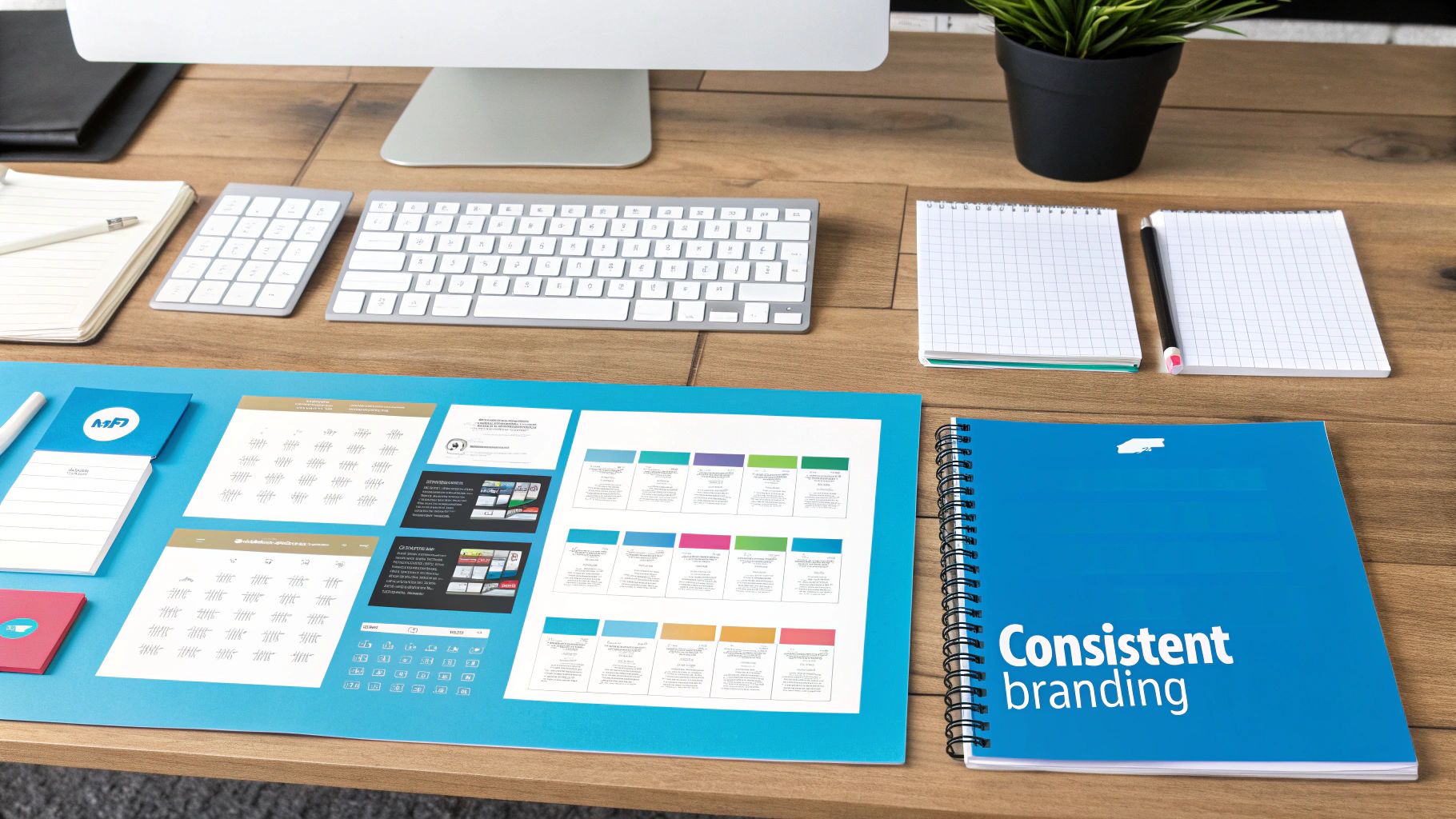
This consistent visual language directly impacts user experience and brand recall. For example, a St. Petersburg real estate agency that uses the same calming blue and gold palette on its website, social media, and for-sale signs builds a cohesive and memorable brand image. This visual coherence guides users smoothly through the site and makes the brand instantly recognizable. Companies like Dollar Shave Club used a bold, consistent identity to differentiate themselves and build a loyal following. Strong visual branding isn’t just about looking good; it’s a strategic tool for building customer trust and loyalty from the very first click.
How to Implement Professional Branding
Consistent design is one of the most vital small business website design tips for converting visitors into customers. It communicates a message of quality and attention to detail that customers appreciate.
- Create a Brand Style Guide: Document your official color palette (HEX codes), fonts, logo usage rules, and imagery style. This guide ensures anyone working on your marketing materials maintains consistency.
- Use Color Psychology Strategically: Colors evoke emotions. Blue often conveys trust and security, making it popular for financial services, while green suggests growth and health, ideal for wellness brands. You can find out more about the impact of color psychology on netcodesign.com.
- Invest in High-Quality Visuals: Use professional photography of your team, location, or products. If that’s not possible, invest in premium stock images that align with your brand’s aesthetic. Avoid generic or low-resolution pictures.
- Leverage Whitespace: Do not cram every inch of the page with content. Generous use of whitespace (the empty space around elements) reduces visual clutter, improves readability, and creates a more elegant, professional look.
- Keep Typography Simple: Stick to one or two easy-to-read fonts. Sans-serif fonts like Open Sans, Lato, or Montserrat are generally best for digital readability on screens of all sizes.
5. Compelling Calls-to-Action (CTAs)
A Call-to-Action (CTA) is a prompt on your website that tells the user to take some specified action. A compelling CTA is the crucial final step that guides visitors from being passive browsers to active customers, whether that means making a purchase, scheduling a consultation, or signing up for a newsletter. Without clear, persuasive CTAs, even the best-designed website will fail to convert traffic into tangible business results.
Strategic placement, benefit-driven language, and prominent visual design are the cornerstones of effective CTAs. For small businesses, optimizing these elements can directly translate to higher customer acquisition and revenue. A well-crafted CTA removes ambiguity and makes it easy for a user to understand the next step, significantly boosting your website’s conversion rate.
This tactic is essential for any business aiming to generate leads or sales online. For a local roofer in Tampa, a CTA like “Get Your Free Estimate Today” is far more effective than a generic “Submit” button. Similarly, an e-commerce store can create urgency and drive sales with a button that says “Shop Now – 24 Hour Sale”. The goal is to make the desired action both obvious and appealing, turning your website into a powerful lead-generation tool.
How to Implement Compelling CTAs
Integrating strong CTAs is one of the most direct small business website design tips for improving performance. It requires a thoughtful blend of psychology, design, and clear copywriting.
- Use Action-Oriented Verbs: Start your CTA text with a strong verb that commands action. Words like “Get,” “Download,” “Schedule,” “Shop,” and “Learn” are direct and effective.
- Focus on the Benefit: Frame the CTA from the customer’s perspective. Instead of “Submit Form,” use “Get My Free Quote.” This highlights the value they receive.
- Create Visual Contrast: Your CTA button should stand out from the rest of the page. Use a contrasting color that aligns with your brand palette but immediately draws the eye.
- Strategic Placement: Place your primary CTA “above the fold” so it’s visible without scrolling. Reinforce it with secondary CTAs in your footer, at the end of blog posts, and in your main navigation. You can even elevate the user experience by exploring how micro-interactions can enhance button clicks on netcodesign.com.
- Keep It Concise: The best CTAs are short and to the point, typically between 2-5 words. Clarity beats cleverness every time.
6. SEO-Optimized Content and Structure
Search engine optimization (SEO) is the practice of structuring your website and creating content that ranks high in search engine results. For a small business, this isn’t just about getting seen; it’s about being found by potential customers actively looking for your products or services. SEO-optimized content involves strategic keyword research, proper use of headings, compelling meta descriptions, and creating valuable information that answers user questions and satisfies search engine algorithms. This process drives consistent, high-intent, and free traffic to your website.
A solid SEO foundation is a game-changer for local businesses. A St. Petersburg fitness trainer who optimizes their website for “personal training in St. Pete” can attract local clients directly, bypassing expensive ad campaigns. Similarly, a local Tampa plumbing company that ranks for “emergency plumber in Tampa” generates a steady stream of urgent, high-value calls. By aligning your content with what your target audience is searching for, you turn your website into a powerful, automated lead-generation tool that works around the clock. This organic visibility builds brand authority and trust in a way that paid ads often cannot.
How to Implement SEO-Optimized Content
Integrating SEO from the beginning is one of the most crucial small business website design tips for long-term growth. It ensures your site is built to be discovered.
- Conduct Keyword Research: Use tools like Google Keyword Planner or Ahrefs to find the terms your customers are searching for. Target long-tail keywords (phrases of three or more words) like “best HVAC repair in Clearwater,” as they often have lower competition and higher conversion rates.
- Structure Content Logically: Use one H1 tag for your main page title, which should include your primary keyword. Use H2s and H3s for subheadings to organize your content, making it easy for both users and search engines to read.
- Write Compelling Meta Descriptions: Craft unique meta descriptions (around 155 characters) for each page. While not a direct ranking factor, a good description acts like an ad in search results, encouraging users to click on your link.
- Optimize On-Page Elements: Ensure your target keyword appears naturally in your URL, H1 tag, and within the first 100 words of your content. Add descriptive alt text to all images to improve accessibility and provide search engines with context. You can learn more about crafting effective page titles and meta descriptions from SEO experts at Moz’s learning center.
7. Trust Signals and Social Proof
Trust signals and social proof are critical elements that reduce visitor anxiety and build immediate credibility for your business. This strategy involves showcasing evidence that other people have had positive experiences with your products or services. By featuring customer testimonials, reviews, industry certifications, and security badges, you assure potential customers that your business is legitimate, reliable, and trustworthy, which is essential for turning browsers into buyers.
This approach directly boosts conversion rates by leveraging the psychological principle that people are more likely to do something if they see others doing it. For a local business, this is incredibly powerful. An HVAC company in Tampa that displays a “1,000+ 5-Star Google Reviews” badge on its homepage instantly builds more confidence than a competitor without it. Similarly, an e-commerce store showing logos of well-known payment options like Visa and PayPal reassures customers that their financial data is secure. Studies show that adding detailed testimonials can increase credibility by over 70%, demonstrating the direct impact of social proof on your bottom line.
How to Implement Trust Signals and Social Proof
Integrating social proof is one of the most effective small business website design tips for building a connection with new visitors and encouraging them to take action.
- Actively Request Reviews: After a sale or service, send a follow-up email asking satisfied customers to leave a review on Google, Yelp, or an industry-specific site.
- Showcase Detailed Testimonials: Place testimonials with a customer’s full name, photo, and company (if applicable) near relevant products or call-to-action buttons.
- Display Trust Badges: Prominently feature SSL certificates, payment security logos (like Norton or McAfee), and any industry-specific certifications or awards you have earned.
- Use Review Schema Markup: Implement schema markup for your reviews so that star ratings appear directly in Google search results, increasing your click-through rate. For more on this, you can explore Google’s official documentation on review snippet structured data.
8. Clear Value Proposition and Unique Selling Points
A clear value proposition is a concise statement that instantly tells visitors what your business does, who it serves, and what makes you different. It’s the first thing a potential customer should see, as it answers their most important question: “Why should I choose you over anyone else?” For small businesses, articulating your unique selling points (USPs) is not just a marketing exercise; it’s a fundamental part of effective website design that hooks visitors within seconds, reducing bounce rates and guiding them toward conversion.
Your value proposition must be front and center, typically in the hero section of your homepage. It’s not just a slogan, but a promise. For instance, a local cleaning service in Tampa might use: “Eco-friendly cleaning with same-day booking and a 100% satisfaction guarantee.” This immediately communicates three powerful benefits: environmental safety, convenience, and risk-free service. This clarity is crucial for converting visitors into leads because it directly addresses common customer concerns and desires.
How to Craft and Display a Powerful Value Proposition
Integrating a strong USP is one of the most vital small business website design tips for standing out in a crowded market. It sets the tone for the entire user experience.
- Identify Customer Pain Points: Start by understanding what problem your target audience is trying to solve. What are their biggest frustrations or desired outcomes?
- Focus on Benefits, Not Features: Customers care about results. Instead of saying “we use advanced software,” say “we help you save 5 hours every week.” The benefit is the time saved.
- Be Specific and Quantifiable: Use numbers to make your claims more believable and impactful. For example, a freelance web designer could offer: “Website design for small businesses under $3,000 with a 7-day turnaround.”
- Place It Prominently: Your main value proposition should be in your website’s header or hero section. Reinforce your USPs in call-to-action buttons, footers, and service pages to maintain a consistent message.
- Test Your Messaging: Don’t assume your message resonates. Use A/B testing or ask existing customers if your value proposition is clear, compelling, and accurate. For more on testing, you can read about the importance of conversion rate optimization on HubSpot’s blog.
A Comparison of Key Website Design Approaches
Here is a summary comparing the different design strategies we’ve discussed, highlighting their complexity, resource needs, and key benefits to help you prioritize your efforts.
- Mobile-First Responsive Design: Requires moderate to high implementation complexity due to design and cross-device testing. It needs front-end development time and designers. The expected outcome is an improved mobile UX, higher mobile conversions, and an SEO boost. It’s ideal for mobile-dominant audiences and local services. Its key advantage is a single codebase for all devices and better mobile SEO.
- Clear and Intuitive Navigation: This has a low to moderate complexity, mainly involving usability testing. It requires input from a UX designer and some simple development work. The result is faster information findability, lower bounce rates, and improved engagement. It is essential for content-heavy sites and service websites.
- Fast Loading Speed Optimization: A technically complex task requiring moderate to high effort. It needs development expertise, quality hosting, and a CDN. It leads to lower abandonment rates, higher conversions, and improved rankings. This is critical for e-commerce and media-heavy sites.
- Professional Visual Design & Branding Consistency: This is a moderately complex task involving a design system and assets. It requires a brand designer and a style guide. The result is increased trust, stronger brand recognition, and a perception of higher quality, making it crucial for competitive markets.
- Compelling Calls-to-Action (CTAs): Low to moderate complexity, focusing on copy, placement, and testing. It requires a copywriter, designer, and A/B testing tools. The primary outcome is higher conversion rates, making it essential for lead generation and product pages.
- SEO-Optimized Content and Structure: A moderately complex approach that involves ongoing strategy and content creation. It requires an SEO specialist and content creators. The result is increased organic traffic and long-term visibility, which is perfect for local businesses aiming for sustainable growth.
- Trust Signals and Social Proof: This has low to moderate complexity, focused on collecting and displaying proof. It requires using review platforms and gathering testimonials. It reduces purchase anxiety and increases conversions, which is vital for e-commerce and high-consideration services.
- Clear Value Proposition & Unique Selling Points: A moderately complex task that requires market research and copywriting. It helps visitors quickly understand your business, reducing bounce rates and improving conversions. This is a must for businesses in crowded markets.
From Tips to Transformation: Your Next Steps to a High-Performing Website
Navigating the world of web design can feel overwhelming, but building a powerful online presence is an achievable goal. The journey from a basic digital brochure to a high-performance lead generation machine is built on the strategic implementation of core principles. We’ve explored the essential pillars, from the non-negotiable foundation of mobile-first responsive design and lightning-fast loading speeds to the conversion-driving power of clear navigation and compelling Calls-to-Action (CTAs).
Remember, your website is more than just a collection of pages; it’s the digital storefront for your brand. Consistent branding, a clearly articulated value proposition, and the strategic use of trust signals like reviews and testimonials are what transform casual visitors into loyal customers. These elements work in harmony, creating an experience that is not only visually appealing but also seamless, intuitive, and persuasive. This integrated approach, underpinned by an SEO-optimized structure, is what separates a passive website from a proactive business asset.
Turning Knowledge into Actionable Growth
The true value of these small business website design tips lies in their application. A successful website is not a static project that you “set and forget.” Instead, it is a dynamic tool that must evolve with your business, your customers, and the ever-changing digital landscape. Your next step is to move from learning to doing.
Begin with a simple audit. Evaluate your current website against the eight principles covered in this guide.
- Does your site load in under three seconds on a mobile device?
- Can a new visitor understand what you do and who you serve within five seconds of landing on your homepage?
- Are your CTAs clear, visible, and compelling?
- Is your content optimized for the keywords your local customers are actually searching for?
Answering these questions honestly will reveal your biggest opportunities for improvement. Prioritize the changes that will have the most significant impact on user experience and lead generation. This might mean starting with a technical tune-up to improve site speed or focusing on rewriting your homepage content to clarify your value proposition. The key is to commit to a process of continuous, incremental improvement. This iterative approach ensures your website remains a powerful, revenue-generating engine for your business, driving measurable and compounding results over time. Mastering these concepts is the first step toward transforming your digital presence into your most valuable asset.
Implementing these advanced strategies requires technical expertise and a deep understanding of local market dynamics. If you’re a business in Tampa Bay or St. Petersburg ready to build a website that delivers tangible results, consider partnering with a specialist. Contact Netco Design LLC to see how custom web design and strategic local SEO can turn your website into a powerful growth engine.

